Leads Management

Turn New Leads Into Scheduled Jobs

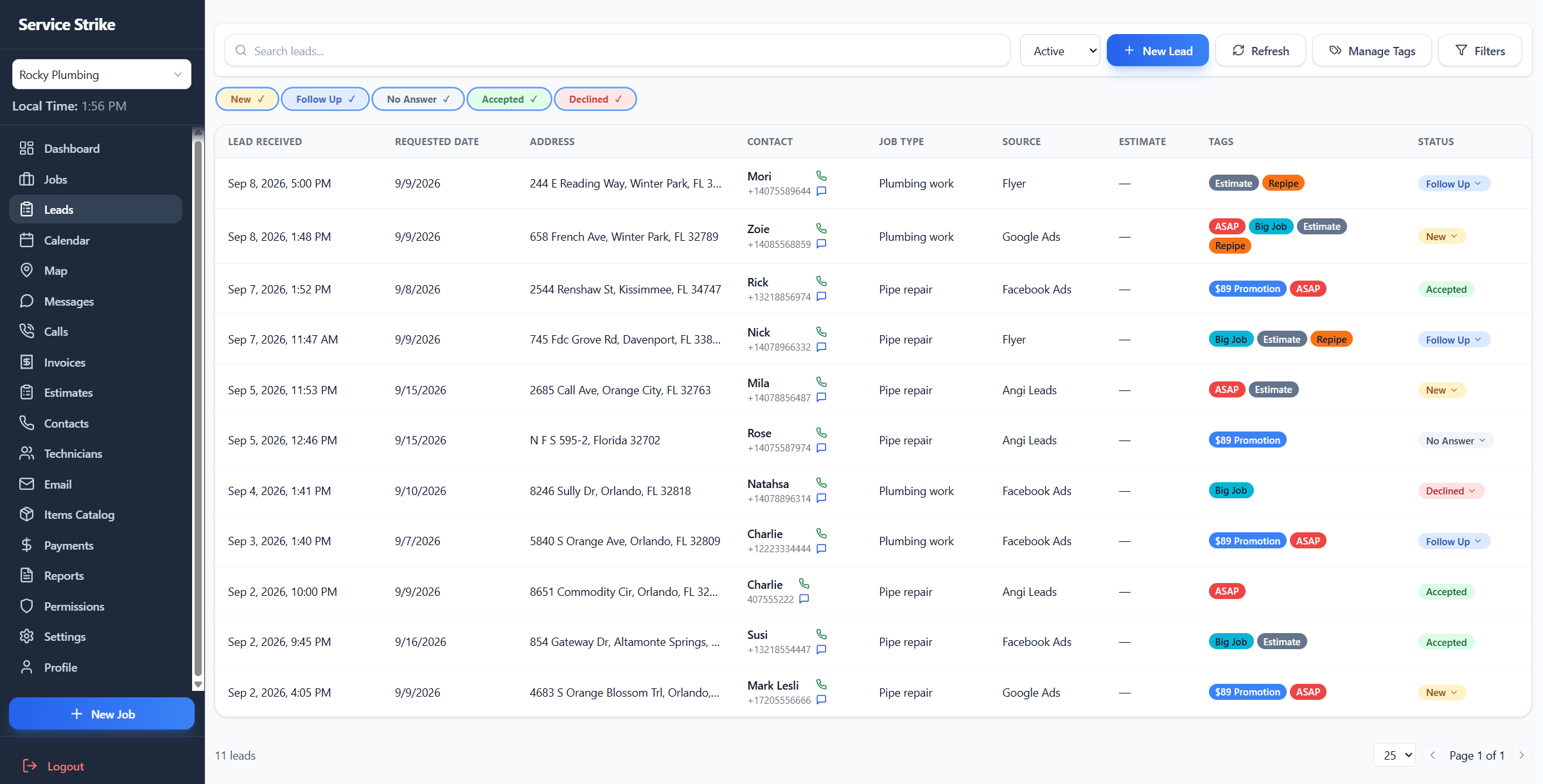
Keep every new lead that needs attention in one organized page. See the lead details, status, and source, follow up quickly, and convert the opportunity into a job when it is ready.

Service Strike leads management screen
All new leads in one place
Lead status and source
Fast follow-up
Convert leads to jobs
One clear workspace

Keep Every New Lead in View

Give your office one place to review incoming leads that still need attention. Instead of losing opportunities across calls, messages, and notes, your team can see what needs a response and act quickly.

Better context

Know the Status and Source of Every Lead

See the important details behind each opportunity, including its current status and where it came from. Your team has the context it needs before reaching out, so each follow-up can be more useful and timely.

Faster follow-up

Make It Easy to Follow Up

When leads are easy to find and understand, your team can respond without searching through multiple tools. A cleaner lead workflow helps your office stay on top of new opportunities before they go cold.

From opportunity to work

Convert Qualified Leads Into Jobs

Once a lead is ready to move forward, convert it into a job and continue the workflow in Service Strike. Your team can move from the first customer inquiry to scheduling and service without starting over.